Level 7 Β· Build With AI

Stop Using AI.
Start Building With It.

A website, a chatbot, a business poster, and a real portfolio project β€” AI is your co-builder. You bring the idea. AI helps you ship it.

⏱ 5 hours πŸ›  4 Build Projects 🎯 Real Portfolio Pieces β‚Ή500
πŸŽ‰ Early Access β€” β‚Ή500 Free for first 100 learners
Level 7 Build With AI hero β€” four Indian professionals creating real projects with AI as co-builder

β–Ύ scroll to start building

Watch first Β· 120 seconds

What you will learn in Level 7

No sign-in needed to watch Β· English narration Β· Telugu version available

βœ… Level 6 Recap

Level 7

Now you go from user to creator

Nandini is a school teacher in Nellore β€” she wants a simple website to share her tuition details but has no coding knowledge. Suresh is a medical shop owner in Karimnagar β€” customers keep calling to ask the same questions about timings and stock. Pooja is a graphic design freelancer in Hyderabad β€” she needs a business poster and service brochure fast. Kiran is a final-year engineering student in Guntur β€” he needs a portfolio project that shows real AI skill to potential employers.

In this level, each of them builds something real using AI as their co-builder. No coding course. No design degree required. Just clear instructions, the right prompts, and a willingness to ship something imperfect on day one and improve it after.

1 Skill 1 β€” Build a simple website with AI (no coding knowledge needed)

Nandini's story

A teacher who needed a website but thought it was only for "tech people"

Nandini teaches maths and science to Class 6–10 students in Nellore. She runs her own tuition centre out of her home. Parents find her through word of mouth β€” but she keeps missing enquiries because she has no simple page to share. She assumed building a website needed months of learning and a lot of money.

πŸ‘© Nandini Β· Nellore

Nandini tried Wix once and gave up after 30 minutes. The templates felt wrong for her, she didn't understand the settings, and she wasn't sure what to write. She told herself she would deal with it "someday." That was eight months ago.

"I just want one page that says who I am, what I teach, my timings, and how to contact me. That should not require a computer science degree."
πŸ’‘ The AI approach

Nandini uses AI to first draft all her content β€” bio, class descriptions, timings, fee structure, FAQ β€” in plain text. Then she asks AI to turn that content into a clean single-page HTML file she can open in a browser and share via a link. She uses a free hosting service to put it online without any technical setup.

Nandini's website generation prompt

Create a simple single-page website for my home tuition centre. MY DETAILS: Name: Nandini Reddy Location: Nellore, Andhra Pradesh Classes: Maths and Science for Class 6 to Class 10 Timings: Monday to Saturday, 4 PM to 7 PM Fees: β‚Ή800/month per subject, β‚Ή1,400/month for both Contact: WhatsApp 98765-XXXXX ABOUT ME (use this text): I have 12 years of teaching experience. My students consistently score above 85% in board exams. I teach in simple Telugu and English and give personal attention to every student. FAQ: Q: Do you take students mid-year? A: Yes, any time. Q: Is there a trial class? A: Yes, first class is free. OUTPUT FORMAT: One complete HTML file. Clean, mobile-friendly. Use a warm, trustworthy colour scheme (blues and greens). No JavaScript needed. Large readable font. Add a WhatsApp button at the top and bottom. Do not use any external CSS frameworks.

βœ… What happened

AI generated a complete, clean HTML file in under 30 seconds. Nandini opened it in her browser, made two small edits (changed a colour, updated the phone number), and uploaded it to Tiiny.host β€” a free drag-and-drop hosting service that takes under 2 minutes. She had a live link to share within the same morning. Three new enquiries came in that week.

AI generates: one complete index.html file with sections for About, Classes, Timings, Fees, FAQ, and a WhatsApp CTA button β€” responsive, clean, no frameworks.

Nandini's edit time: 8 minutes (change accent colour, fix phone number, add one more FAQ).

Upload to Tiiny.host: drag HTML file β†’ get link β†’ share on WhatsApp. Under 2 minutes.

Total time from zero to live website: under 45 minutes.

🌐 Website building tip

You do not need to understand HTML to build a working website this way. Your only job is to give AI accurate content and a clear format instruction. The better your content details (name, services, timings, prices, contact), the better the output. If you don't like the design β€” paste the HTML back into AI and say exactly what to change. Treat it like giving feedback to a designer.

❌ Old assumption

Building a website requires months of learning HTML, CSS, JavaScript. It costs money. It needs a developer. Average person cannot do this without formal training.

βœ… AI reality

Give AI your content and format requirements. Get a working HTML file in under a minute. Edit with natural language. Go live with free hosting in under 2 minutes. Total time: under 1 hour for a beginner.

Nandini reviewing her AI-generated tuition centre website on her laptop in Nellore
2 Skill 2 β€” Build a mini chatbot for a local need

Suresh's story

The medical shop owner who answered the same questions 40 times a day

Suresh runs a medical shop in Karimnagar. Every day he gets 30–40 calls asking: "Are you open on Sunday?" "Do you have [medicine name]?" "Can you deliver?" "What time do you close?" He and his one assistant spend almost 2 hours a day on calls that carry no purchase β€” just information that could be on a simple page or a chat widget.

πŸ‘¨ Suresh Β· Karimnagar

Suresh's shop has a WhatsApp number but no automated replies. Every message is answered manually when he or his assistant has time. Sometimes replies come after 3 hours. Customers go to the competitor who answers faster. He knows the problem but doesn't know how to fix it without hiring someone.

"Same questions every single day. I want something that answers automatically when I am busy at the counter. I don't have money for a big software system."
πŸ’‘ The AI approach

Suresh uses AI to build a small FAQ chatbot as a standalone HTML page β€” no server, no backend, no monthly fees. A visitor types a question, and the embedded AI logic (using a simple keyword-matching script that AI writes) returns the right pre-written answer. He also sets up a WhatsApp Business auto-reply with AI-drafted templates for the top 10 questions.

Suresh's chatbot page prompt

Build a simple FAQ chatbot as a single HTML page for my medical shop. SHOP DETAILS: Name: Suresh Medical Store, Karimnagar Open: Mon–Sat 8 AM–10 PM, Sunday 9 AM–6 PM Services: medicine dispensing, home delivery (β‚Ή30 fee, 3 km radius), BP/sugar check (free) Common medicines: most generics in stock; branded medicines ordered same day FAQ LIST (match these questions to these answers): Q: timings / open / hours β†’ [show timings] Q: sunday / holiday β†’ [show sunday timings] Q: delivery / deliver β†’ [show delivery policy] Q: BP / sugar / test β†’ [show free test info] Q: medicine not available / order β†’ [explain same-day order] Q: price / generic / substitute β†’ [explain generic availability] Q: contact / phone / call β†’ [show phone number] OUTPUT: - Single HTML file with a simple chat UI (white bubbles, green for shop, grey for user) - JavaScript keyword matching (no API key needed, works offline) - Mobile-friendly - Show "Type your question below" as placeholder

βœ… What happened

AI generated a complete working chatbot HTML file with JavaScript keyword logic for all 7 question categories. Suresh tested it on his phone, added two more FAQs, and shared the Tiiny.host link on his WhatsApp status. He also asked AI to draft 10 WhatsApp Business auto-reply templates for the most common queries. Phone enquiry calls dropped by 60% in the first two weeks.

Chatbot file: 1 HTML page, ~120 lines of clean JavaScript, 7 FAQ categories, mobile-friendly chat UI.

Suresh's test time: 15 minutes β€” typed real customer questions to verify all responses were correct.

WhatsApp auto-reply templates: AI drafted all 10 in under 2 minutes from Suresh's FAQ list.

Result after 2 weeks: 60% fewer information-only calls. Assistant now free to help at counter full-time.

πŸ€– Chatbot building tip

A useful chatbot does not need to understand natural language perfectly. A keyword-matching FAQ bot answers 80% of real customer questions at zero ongoing cost. The key is making a good FAQ list before you ask AI to build the bot. Spend 10 minutes listing the 10 questions your customers ask most. Give AI that list. The chatbot writes itself.

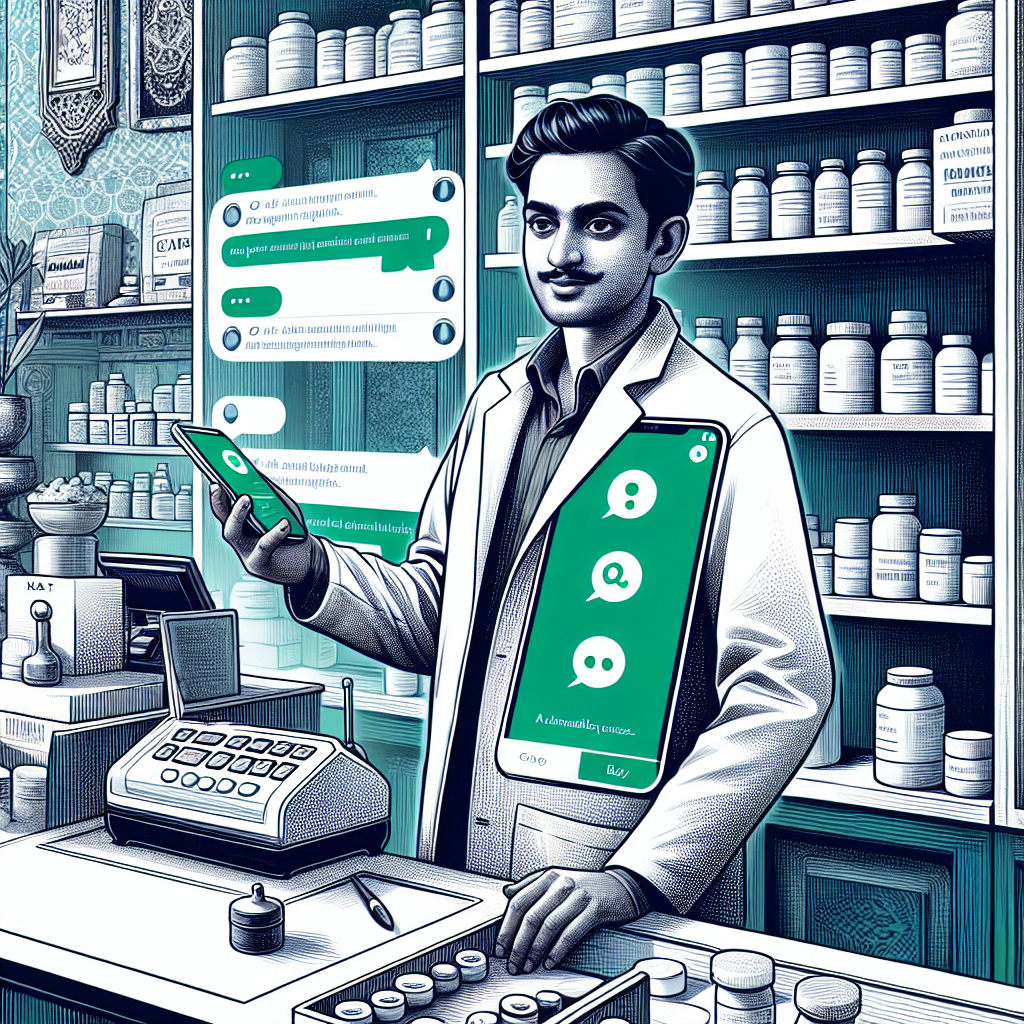
Suresh at his medical shop counter showing the AI-built FAQ chatbot page on his phone
3 Skill 3 β€” Design a business poster and a one-page business plan with AI

Pooja's story

The freelancer who spent a full day on a poster that should take an hour

Pooja is a freelance graphic designer in Hyderabad. She is expanding her services and needs two things fast: a promotional poster for social media announcing her freelance packages, and a one-page business plan she can share with a potential business partner. She knows design but spends too long on copywriting β€” what to say, how to position herself, what structure to use.

πŸ‘© Pooja Β· Hyderabad

Pooja opens a blank Canva template and stares at it. She is not sure how to write the headline, what the offer should say, how to frame her pricing. She is a great visual designer but copy is her weak spot. What should take 1 hour takes all day because the content decisions keep her stuck.

"I can design anything you give me. The problem is nobody gives me the words. I end up redesigning three times because I never liked my own copy."
πŸ’‘ The AI approach

Pooja uses AI first to generate all the copy β€” headline, tagline, package descriptions, CTA. She then pastes this into Canva. For the business plan she gives AI her goals, current clients, and 3-month targets, and asks for a clean one-page business plan with sections she can share directly. Copy and structure done in 20 minutes β€” she spends the rest of the time on design, which she loves.

Pooja's poster copy prompt

Write all the copy for a social media promotional poster for my freelance graphic design services. ABOUT ME: Name: Pooja Sharma, Hyderabad Speciality: Brand identity, social media graphics, print materials Experience: 5 years, 40+ clients across retail and education sectors Unique value: Fast turnaround (48 hours), unlimited revisions, bilingual (English + Telugu) PACKAGES: Starter: β‚Ή3,500 β€” logo + 3 social media templates Growth: β‚Ή7,500 β€” full brand kit (logo, colours, fonts, 10 templates) Custom: β‚Ή15,000+ β€” complete brand identity with print and digital OUTPUT NEEDED: 1. One strong headline (max 8 words, punchy, benefit-focused) 2. One supporting tagline (max 15 words) 3. Three package names with one-line descriptions each 4. One call-to-action line with WhatsApp CTA 5. A short "Why choose me" block (3 bullet points) Keep tone: professional, warm, confident. Target: small business owners.

πŸ“‹ Pooja's one-page business plan prompt

Separately, Pooja gave AI her goals and current situation and asked for a business plan she could share with a potential studio partner.

Pooja's business plan prompt

Write a one-page business plan for my freelance graphic design practice. CURRENT STATE: Monthly revenue: β‚Ή45,000 average Active clients: 6–8 retainer clients, 3–5 one-time project clients Team: solo, occasionally outsource print work Tools: Canva Pro, Adobe Illustrator, Figma 3-MONTH GOALS: - Reach β‚Ή70,000/month revenue - Add 3 new retainer clients in education sector - Launch one product (social media template pack, β‚Ή999) POTENTIAL PARTNER CONTEXT: A small digital marketing studio wants to white-label my design services FORMAT: One page. Sections: Business Summary, Current Traction, 90-Day Goals, Revenue Plan, Partnership Opportunity. Professional but not overly corporate. Include one table for revenue projection. Max 400 words total.

βœ… What happened

AI delivered all poster copy in under 1 minute. Pooja had a headline she liked on the first try and minor-edited two bullet points. The business plan came out clean with a simple revenue projection table. She forwarded it to the studio partner that afternoon. The poster was live on Instagram by 11 AM β€” the same day she started.

Poster copy: headline "Your Brand, Built in 48 Hours." + tagline + 3 packages + CTA β€” ready in 45 seconds.

Pooja's copy edit time: 8 minutes (adjusted one package name and one bullet point).

Business plan: 390 words, 5 sections, one revenue projection table β€” shared same day.

Old process: 6+ hours. New process: 20 minutes of AI work β†’ rest of the day on design.

🎨 Poster + plan building tip

AI is a faster first drafter than you are β€” even if you are a good writer. The trick is giving AI your real numbers and your specific situation, not vague descriptions. "5 years, 40+ clients, 48-hour turnaround" is far better input than "experienced designer." The more specific your input, the less editing you need on the output.

Pooja in Hyderabad using AI-generated copy to build her business poster in Canva
4 Skill 4 β€” Build a portfolio project that proves real AI skill

Kiran's story

The engineering student who needed proof, not just a certificate

Kiran is a final-year Computer Science student in Guntur. He has done well in his exams but his resume looks like every other student's β€” a list of college projects and grades. He is applying for product and data analyst roles and the interviewers keep asking "show me something you built." He wants a portfolio project that shows he can actually work with AI tools β€” not just talk about them.

πŸ‘¨ Kiran Β· Guntur

Kiran has tried to think of a project idea for months. He wants something relevant, achievable in a few weeks without a full team, and impressive enough to talk about in an interview. He ends up paralysed by choice and never starts. His batchmates are in the same situation.

"I know how to use AI tools but I have nothing to show for it. Everyone says build a project but nobody tells you which one is actually worth building."
πŸ’‘ The AI approach

Kiran uses a 3-step AI workflow: first he asks AI to help him pick the right project idea based on his skills and target role. Then he uses AI to generate a project plan, a README, and even the first working code structure. Finally he uses AI to help him articulate what the project demonstrates β€” so he can explain it confidently in interviews.

Step 1 β€” Project selection prompt

I am a final-year CS student in India targeting product analyst and data analyst roles at mid-size tech companies. My skills: Python (intermediate), SQL (good), Excel, basic Pandas. Time available: 3 weeks, working 1–2 hours/day. I want something I can build, deploy publicly, and explain in an interview. Suggest 5 portfolio project ideas that: - Are achievable solo in 3 weeks with my skill level - Solve a real Indian or local problem (not a generic tutorial project) - Demonstrate analytical thinking and some AI or data work - Can be deployed free (GitHub Pages, Streamlit Cloud, etc.) - Have a clear 2-sentence "why this matters" explanation For each: give the project name, 2-sentence description, tech stack, and difficulty (1–5).

πŸ›  Step 2 β€” Build with AI as co-coder

Kiran chose "College Canteen Menu Optimiser" β€” a Python + Streamlit app that lets a canteen manager input daily sales data and get AI-driven menu suggestions to reduce waste and improve popular items. He then used AI to generate the project plan, code structure, and README.

Step 2 β€” Project plan + starter code prompt

I am building "College Canteen Menu Optimiser" β€” a Streamlit web app where a canteen manager inputs daily sales data (items sold, leftovers, revenue) and gets AI-driven menu suggestions to reduce food waste. Tech stack: Python, Streamlit, Pandas, OpenAI API (GPT-4o-mini for suggestions) Please generate: 1. A 3-week project plan with daily tasks (1–2 hrs/day) 2. File structure for the project (folder and file names) 3. Starter code for app.py β€” Streamlit UI with: - A data upload section (CSV input) - A display table of the uploaded sales data - A button "Get AI Menu Suggestions" - A placeholder function for the OpenAI call 4. A README.md with: project description, features, how to run, screenshots placeholder

βœ… What happened

AI generated a 3-week plan, full file structure, 80 lines of working starter Streamlit code, and a complete README in one response. Kiran had a running app in his browser within 2 hours of starting β€” before he wrote a single line himself. He spent the next 3 weeks refining the AI suggestions logic and improving the UI. By week 3 he had a deployed app, a GitHub repo with 12 commits, and a 2-minute demo video.

AI delivered: 3-week plan (21 daily tasks) + file structure + 80 lines of working Streamlit starter code + README β€” in one response, under 60 seconds.

Kiran's first session: app running in browser in under 2 hours.

Week 3 result: live Streamlit app + GitHub repo + demo video + interview answer: "I built a tool that solves a real problem I saw at my own college canteen. Here's the data flow, here's the AI integration, here's what I would do differently next time."

Interview result: shortlisted at 3 of 4 companies where he showed the project.

πŸŽ“ Portfolio project tip

The best portfolio project is not the most technically complex one. It is the one you can explain clearly, that solves a real problem someone recognises, and that shows you can take something from idea to deployed output. AI helps you start faster and get unstuck. But the decisions β€” what problem to solve, what data to use, what to improve next β€” those are yours. That is what interviewers are looking for.

❌ Without AI

Kiran spends months thinking about what to build and never starts. When he does start, the blank project folder stops him. He submits resumes with no portfolio link. Most applications go unanswered.

βœ… With AI as co-builder

Kiran has a running app in 2 hours, a deployed project in 3 weeks, and a confident 2-minute demo answer. He is shortlisted at 3 of 4 companies. The project became his best interview asset.

Kiran in Guntur reviewing his AI-assisted portfolio project on his laptop, GitHub page visible

Your turn

Practice Arena β€” Build one thing today

Pick the task closest to something you actually need. Open any AI tool. Do not aim for perfect β€” aim for a working first version you can improve tomorrow. Every task below is achievable in under 2 hours.

Task 1 Β· Website

Build your own one-page site

Write down your name, what you do or sell, your timings, your prices, and a contact method. Give AI this content and ask for a single-page HTML file, mobile-friendly, no frameworks. Open it in your browser, make one edit, upload to Tiiny.host. You have a live website today.

Task 2 Β· Chatbot

Build a FAQ bot for your most common questions

List the 8–10 questions people ask you most. Write a short answer for each. Ask AI to turn this into a keyword-matching HTML chatbot page. Test it with 10 real question variations. Host and share the link. Estimate how many calls or messages this would save you per week.

Task 3 Β· Poster

Generate copy for a promotional poster

Think of one thing you want to promote β€” a service, a product, an event, yourself. Give AI your real specifics (experience, price, what makes you different). Ask for: 1 headline, 1 tagline, 3 benefit points, 1 CTA. Paste into Canva or any tool. Post it somewhere public today.

Task 4 Β· Business Plan

Write your one-page business plan

Give AI your current situation (what you do, current income or traction), your 3-month goal, and who you are writing this for. Ask for a one-page business plan with sections and one table. Review it. Update the numbers that are wrong. You now have a document you can share with a bank, investor, or partner.

Task 5 Β· Portfolio Project

Pick your portfolio project idea

Tell AI your skills, time available (be realistic), and the type of role or outcome you want. Ask for 5 project ideas with a difficulty rating. Pick one. Ask AI for the project plan, file structure, starter code, and README. Get something running locally before the end of your next free afternoon.

learner building a real project with AI as co-builder β€” website, chatbot, poster, portfolio visible

Quick reference

Level 7 Cheat Sheet

Save these 4 build patterns. Each one works for a different creation goal and can be reused every time you need to build something new.

🌐 Website

Give AI: content + format requirement ("single HTML file, mobile-friendly, no frameworks"). Edit with natural language. Host free on Tiiny.host or Netlify Drop.

"Create a single-page HTML file for my [business]. Content: [paste details]..."

πŸ€– FAQ Chatbot

Give AI: your top 10 Q&A pairs. Ask for keyword-matching HTML chat page. Test with real question variations. No server, no cost, works offline.

"Build a keyword-matching FAQ chatbot page. Q&A list: [paste list]..."

🎨 Poster Copy

Give AI: real specifics (numbers, prices, differentiators). Ask for numbered list: headline + tagline + bullets + CTA. Paste into Canva. Done.

"Write poster copy: 1. headline 2. tagline 3. 3 bullets 4. CTA. My details: [specifics]"

πŸŽ“ Portfolio Project

Give AI: skills + time + target role β†’ get 5 ideas. Pick one. Ask for plan + file structure + starter code + README in one prompt. Run locally, then deploy.

"Suggest 5 portfolio projects for [role]. Skills: [list]. Time: [X weeks]."

Test what you've learnt

Quick Quiz β€” 5 questions

Score 4 or more out of 5 to earn your Level 7 certificate. You can retry as many times as you like.

1. Nandini wants to build a one-page website for her tuition centre but knows no HTML. What is the most effective way to use AI for this?

2. Suresh wants a chatbot that answers his most common customer questions without any ongoing cost. What is the best approach?

3. Pooja is stuck writing copy for her promotional poster. What is the fastest way to unblock herself using AI?

4. Kiran is choosing a portfolio project. Which project is most likely to impress interviewers at a data analyst role?

5. What is the single most important thing to include when asking AI to generate a portfolio project plan?

πŸ†

Certificate of Completion

Build With AI β€” Level 7

You have completed 4 creator skills and built real portfolio-ready projects using AI as your co-builder

🌐 Website Builder πŸ€– Chatbot Builder 🎨 Poster + Business Plan πŸŽ“ Portfolio Project

Mitra AI Life Education Β· mitraailife.com

πŸŽ‰

You have completed the full Mitra AI Life ladder!

From your very first AI conversation in Level 1 to building a real website, chatbot, business poster, and portfolio project here in Level 7 β€” you have come a long way. You are not just an AI user. You are an AI builder.

All Level 7 characters celebrating completing the full Mitra AI Life ladder

What's next: Explore the Mitra AI Life home page for advanced engineering project tracks, school and student programmes, and upcoming workshops. The builder path continues.

β†’ Back to Home

Questions or comments?