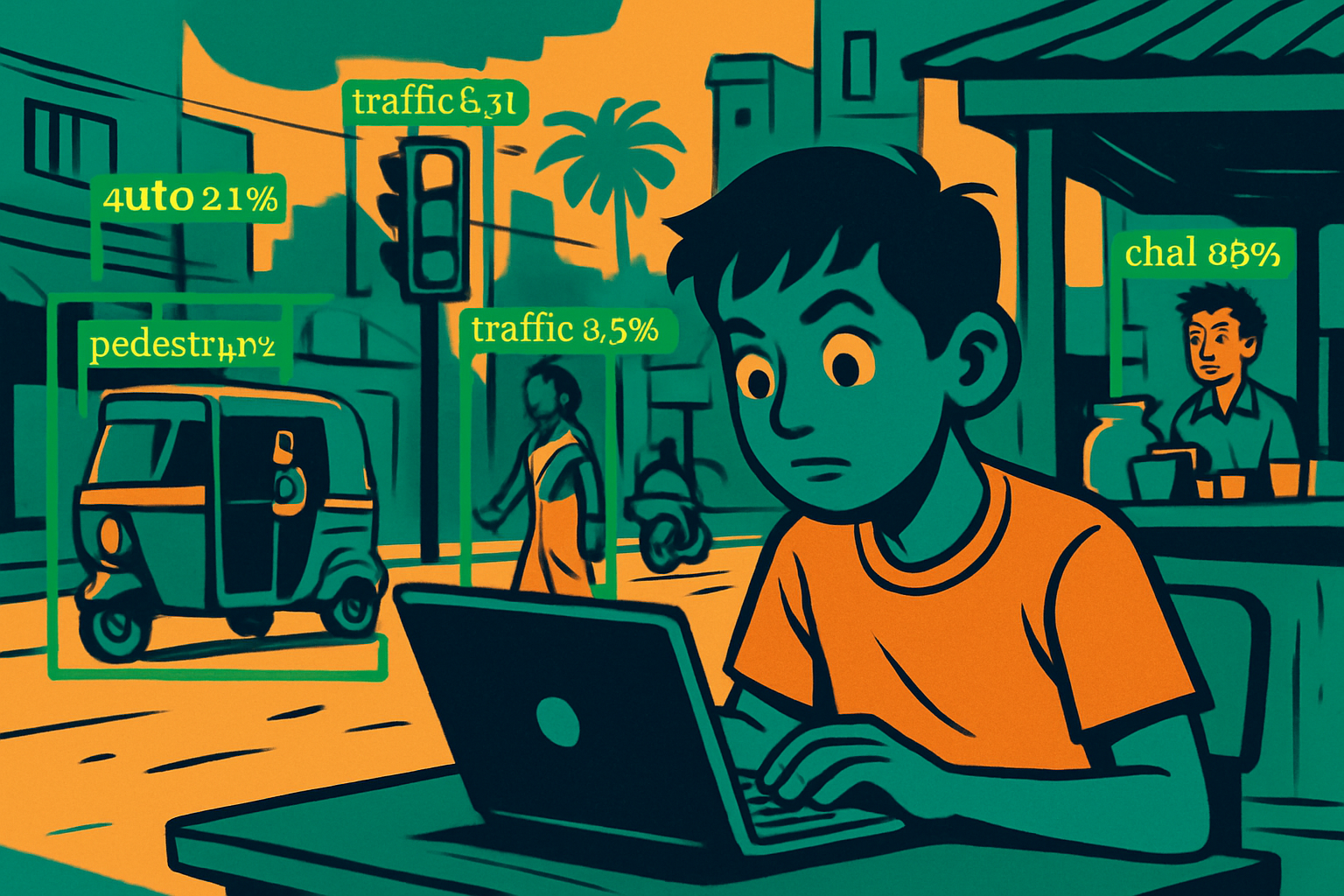
Aditya noticed a problem near his school: the junction at Anna Salai is chaotic during school hours — autos, bikes, buses, and pedestrians crossing at the same time. He wanted to build a traffic monitor that could count vehicles by type from a camera feed and alert when congestion is high.
Image classification (Lesson 2) wasn't enough — it can only say "there's a vehicle" not "there are 3 buses, 7 autos, and 12 bikes in this frame, located here." He needed object detection. His computer vision teacher showed him YOLO — "You Only Look Once" — a model that finds and labels every object in a single forward pass.
Example bus: [0.24, 0.40, 0.28, 0.40]
+ class label + confidence score
- x_center, y_center: Centre of the bounding box, as a fraction of image width/height.
- width, height: Box size as a fraction of image dimensions.
- Confidence score: How sure the model is that an object is present in this box (0–1).
- Class probabilities: Given an object is present, probability it belongs to each class.
IoU — Intersection over Union: Measures how well a predicted box matches the ground truth box.
NMS — Non-Maximum Suppression: YOLO often predicts multiple overlapping boxes for the same object. NMS removes all but the highest-confidence box for each object.
- Sort all predicted boxes by confidence score (highest first).
- Keep the box with the highest score.
- Remove all other boxes with IoU > threshold (e.g., 0.5) against the kept box.
- Repeat until no boxes remain.
# Object Detection with YOLOv8 — Google Colab
# Install the Ultralytics library (includes YOLOv8)

!pip install ultralytics -q

from ultralytics import YOLO
import cv2
import numpy as np
from PIL import Image
import matplotlib.pyplot as plt
import requests
from io import BytesIO

# ── Step 1: Load a pre-trained YOLOv8 model ──
# yolov8n = nano (fastest, smallest) | yolov8s/m/l/x = larger, more accurate
model = YOLO('yolov8n.pt')   # downloads ~6MB model automatically
print("Model loaded! Classes:", len(model.names), "→", list(model.names.values())[:10], "...")

# ── Step 2: Run detection on an image URL ──
# Using a public traffic image (replace with your own photo path)
img_url = "https://upload.wikimedia.org/wikipedia/commons/thumb/4/47/PNG_transparency_demonstration_1.png/280px-PNG_transparency_demonstration_1.png"

# For a local file: results = model.predict("path/to/image.jpg", conf=0.5)
# For Google Drive: results = model.predict("/content/drive/MyDrive/my_image.jpg")
results = model.predict(source=img_url, conf=0.5, iou=0.5)

# ── Step 3: Inspect raw results ──
result = results[0]
print(f"\nDetections found: {len(result.boxes)}")
for box in result.boxes:
    cls_id = int(box.cls)
    label  = model.names[cls_id]
    conf   = float(box.conf)
    x1, y1, x2, y2 = box.xyxy[0].tolist()  # absolute pixel coords
    print(f"  {label:15s}  conf={conf:.2f}  box=[{x1:.0f},{y1:.0f},{x2:.0f},{y2:.0f}]")

# ── Step 4: Visualise with bounding boxes ──
annotated = result.plot()   # returns numpy array with boxes drawn
plt.figure(figsize=(10, 6))
plt.imshow(cv2.cvtColor(annotated, cv2.COLOR_BGR2RGB))
plt.axis('off')
plt.title('YOLOv8 Detections')
plt.show()

# ── Step 5: Count objects by class ──
from collections import Counter
detected_classes = [model.names[int(b.cls)] for b in result.boxes]
counts = Counter(detected_classes)
print("\nObject counts:", dict(counts))

# ── Step 6: Apply to your own image ──
def detect_and_show(image_path, conf_threshold=0.5):
    """Detect objects in any image and display results."""
    results = model.predict(source=image_path, conf=conf_threshold)
    r = results[0]
    annotated = r.plot()
    plt.figure(figsize=(12, 7))
    plt.imshow(cv2.cvtColor(annotated, cv2.COLOR_BGR2RGB))
    plt.axis('off')
    plt.title(f"Detections (conf ≥ {conf_threshold}): {len(r.boxes)} objects")
    plt.show()
    for box in r.boxes:
        print(f"  {model.names[int(box.cls)]:20s}  conf={float(box.conf):.3f}")

# Test with your own uploaded image:
# from google.colab import files
# uploaded = files.upload()
# detect_and_show(list(uploaded.keys())[0])

# ── Step 7: Process a video or webcam (advanced) ──
# results = model.predict(source="traffic.mp4", show=True, stream=True)
# for r in results:
# ... process each frame ...Traditional detection methods (Faster R-CNN) use two stages: first propose regions, then classify them. YOLO does everything in one shot:
- Divide image into grid — e.g., 13×13 cells for larger objects, 26×26 and 52×52 for smaller ones.
- Each cell predicts N anchor boxes — each with x, y, w, h, objectness score, and class probabilities.
- Backbone extracts features — YOLOv8 uses a CSPDarknet-based backbone, similar to a CNN you saw in Lesson 1.
- NMS removes duplicates — keeps one box per object.
This single-pass design is why YOLO is fast enough for real-time video — YOLOv8n runs at 80+ FPS on a modern GPU.