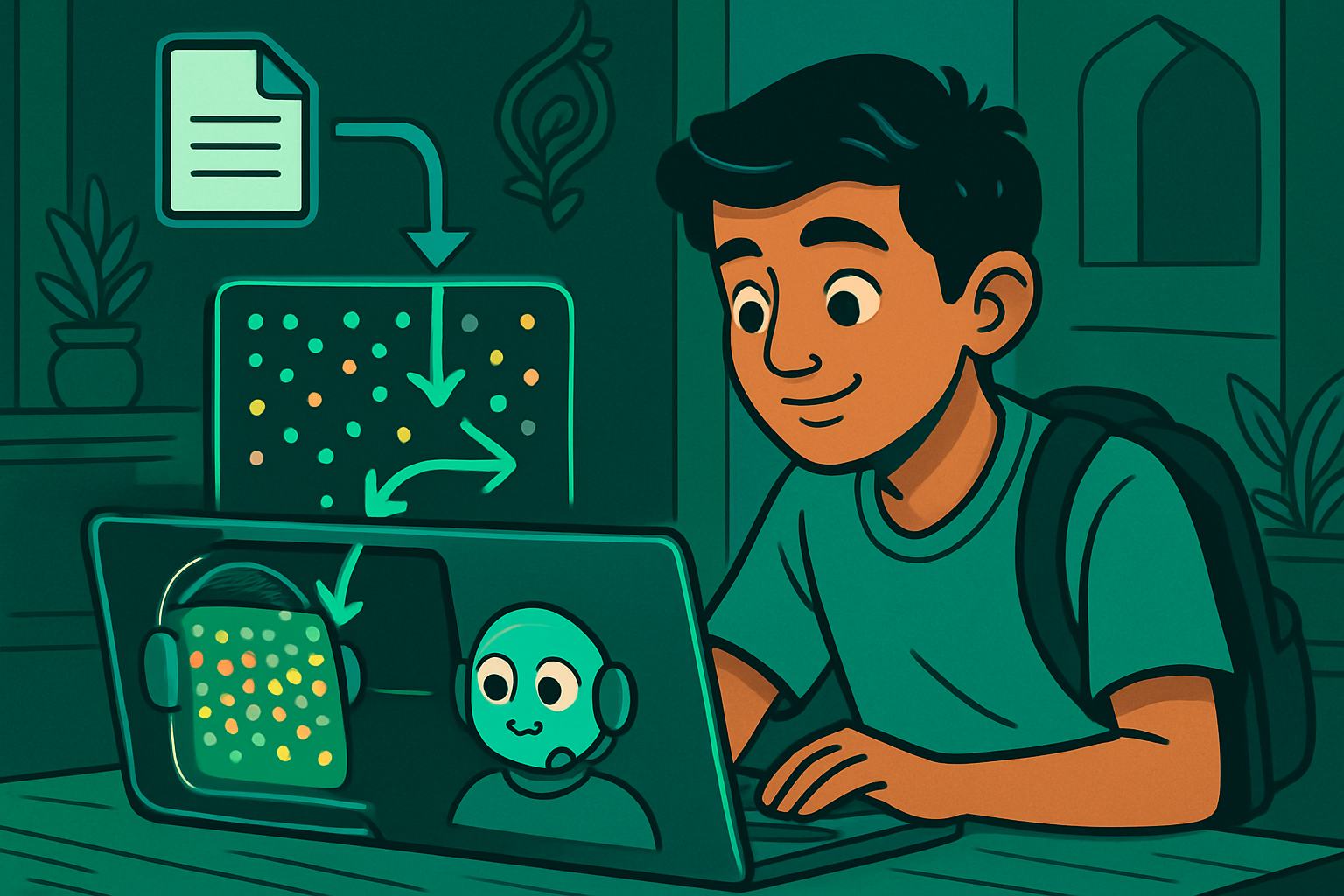
Priya's mother is a nurse. Every day she gets WhatsApp questions from relatives asking about medicines from doctor prescriptions — "What is this tablet for?", "Can it be taken with food?" She has a shelf of medical reference books that she wishes she could search instantly.
Priya wanted to build a chatbot that could answer questions about a specific medical PDF — not from the internet, not from the LLM's training memory, but directly from the pages of that document. Her computer science teacher told her: "What you need is called RAG — Retrieval-Augmented Generation. It's how enterprise AI assistants work over company documents."
LLMs like Gemini or GPT store knowledge in their weights from pre-training. But they don't know about:
- Documents uploaded after their training cutoff
- Private company documents, textbooks, or research papers
- Specific numbers (drug doses, pricing tables, exam schedules)
When asked about specific facts they don't know, LLMs often hallucinate — generate confident-sounding but wrong answers. RAG prevents this by retrieving the actual relevant text from your document and providing it to the LLM as context in the prompt.
# RAG Chatbot over a PDF — Google Colab
# Uses: LangChain + ChromaDB + Gemini API (free tier)

!pip install langchain langchain-community langchain-google-genai \
             chromadb pypdf sentence-transformers -q

import os
from langchain_community.document_loaders import PyPDFLoader
from langchain.text_splitter import RecursiveCharacterTextSplitter
from langchain_community.vectorstores import Chroma
from langchain_community.embeddings import HuggingFaceEmbeddings
from langchain_google_genai import ChatGoogleGenerativeAI
from langchain.chains import RetrievalQA
from langchain.prompts import PromptTemplate

# ── Step 1: Add your Gemini API key ──
# Get free key at: https://makersuite.google.com/app/apikey
GOOGLE_API_KEY = "your-gemini-api-key-here"    # replace with your key
os.environ["GOOGLE_API_KEY"] = GOOGLE_API_KEY

# ── Step 2: Load your PDF ──
# Upload your PDF to Colab first, then set the path
# from google.colab import files; files.upload()  # then check filename
PDF_PATH = "medicine_reference.pdf"   # change to your file

# For demo, we'll create a simple text file instead:
demo_text = """
PARACETAMOL 500mg Tablets
Uses: Relief of mild to moderate pain including headache, toothache,
      fever, and cold symptoms.
Dosage: Adults and children over 12: 1-2 tablets every 4-6 hours.
        Maximum 8 tablets in 24 hours.
        Children under 12: Not recommended.
Side effects: Rare at recommended doses. Overdose causes liver damage.
Food: Can be taken with or without food.
Contraindications: Do not take if allergic to paracetamol or
                   if you have severe liver disease.

METFORMIN 500mg Tablets
Uses: Type 2 diabetes. Reduces blood sugar levels.
Dosage: 500mg twice daily with meals. Dose may be increased by doctor.
Side effects: Nausea, diarrhoea (usually temporary). Rarely lactic acidosis.
Food: Take with meals to reduce stomach upset.
Contraindications: Kidney disease, liver disease, excessive alcohol use.
"""
with open("medicine_reference.txt", "w") as f:
    f.write(demo_text)

from langchain_community.document_loaders import TextLoader
loader = TextLoader("medicine_reference.txt")
documents = loader.load()
print(f"Loaded {len(documents)} document(s)")

# ── Step 3: Split into chunks ──
text_splitter = RecursiveCharacterTextSplitter(
    chunk_size=500,
    chunk_overlap=100,       # overlap ensures context isn't cut at boundaries
    length_function=len
)
chunks = text_splitter.split_documents(documents)
print(f"Created {len(chunks)} chunks")

# ── Step 4: Create embeddings and vector store ──
# Using a lightweight sentence-transformers model (runs locally, free)
embeddings = HuggingFaceEmbeddings(
    model_name="sentence-transformers/all-MiniLM-L6-v2"
)

vectorstore = Chroma.from_documents(
    documents=chunks,
    embedding=embeddings,
    persist_directory="./chroma_db"
)
retriever = vectorstore.as_retriever(search_kwargs={"k": 3})  # top 3 chunks
print("Vector store created!")

# ── Step 5: Set up Gemini LLM ──
llm = ChatGoogleGenerativeAI(
    model="gemini-1.5-flash",    # free tier, fast
    temperature=0.1              # low temperature = factual, not creative
)

# ── Step 6: Custom prompt — force grounded answers ──
PROMPT_TEMPLATE = """You are a medical information assistant helping a nurse
quickly look up drug information from a reference document.
Answer ONLY based on the context provided below.
If the answer is not in the context, say "This information is not in the document."
Do not use outside knowledge. Be concise and accurate.

Context from document:
{context}

Question: {question}

Answer:"""

prompt = PromptTemplate(
    template=PROMPT_TEMPLATE,
    input_variables=["context", "question"]
)

# ── Step 7: Build RAG chain ──
rag_chain = RetrievalQA.from_chain_type(
    llm=llm,
    chain_type="stuff",          # "stuff" = concatenate all chunks into prompt
    retriever=retriever,
    chain_type_kwargs={"prompt": prompt},
    return_source_documents=True
)

# ── Step 8: Ask questions ──
def ask(question):
    result = rag_chain.invoke({"query": question})
    print(f"\nQ: {question}")
    print(f"A: {result['result']}")
    print(f"   (from {len(result['source_documents'])} chunk(s))")

ask("Can paracetamol be taken with food?")
ask("What is the maximum daily dose of paracetamol for adults?")
ask("What are the side effects of metformin?")
ask("Can I take metformin if I have kidney disease?")
ask("What is the dose of amoxicillin 500mg?") # not in document- Chunk size: 500–1000 characters with 100 overlap is a good starting point. Too small = not enough context; too large = retrieval finds irrelevant text.
- Top-k retrieval: k=3–5 is common. More chunks = more context but higher API cost and risk of confusing the LLM.
- Reranking: After initial retrieval, use a cross-encoder model to rerank results by relevance before passing to the LLM.
- Metadata filtering: Add chapter/page metadata to chunks and filter by document section when relevant.
- Persistent ChromaDB: Save embeddings to disk with
persist_directory— avoid re-embedding the whole document on each run.